
Home/Install guides/Hansel ACRO
Hansel ACRO Install
PN 2001. Slide onto the rear claw mount points, then tighten one top screw and two side screws.
- UnloadMagazine out, action open, chamber empty. Leave the action open until you finish.
- FitsMP5, MP5K, AP5, AP5K.
- PrepRemove any existing mount. Back out all three screws until the tips clear the underside of the mount.
-
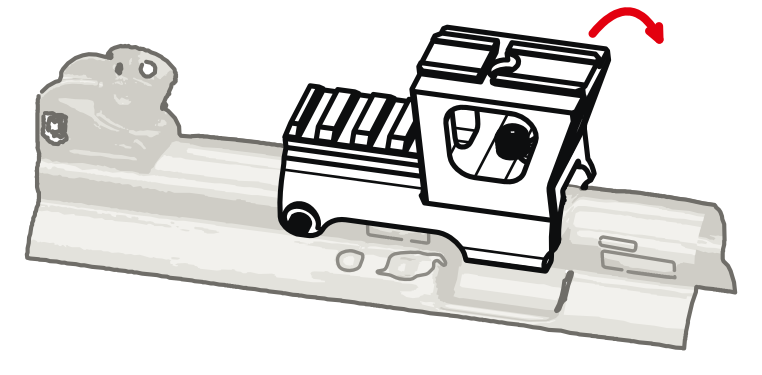
01Hook and rotate
Optic tower toward the muzzle, between the two pairs of claw mount points. Hook the right claw into the ejection port, then rotate the mount down onto the receiver.
-
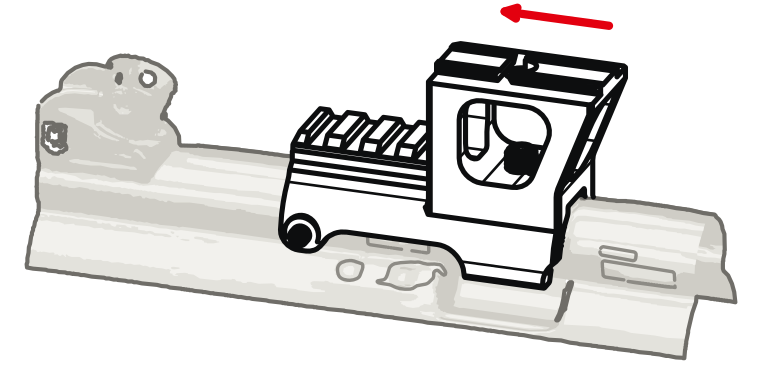
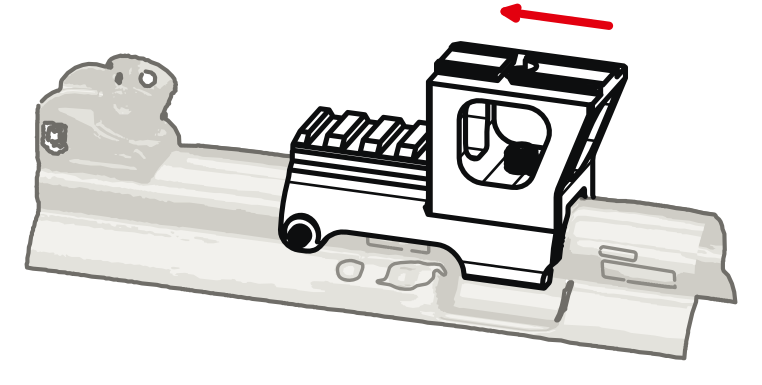
02Slide it back
Slide toward the rear sight until it stops. If it resists, check that all three screws are backed out. If it still resists, stop and contact support.
-
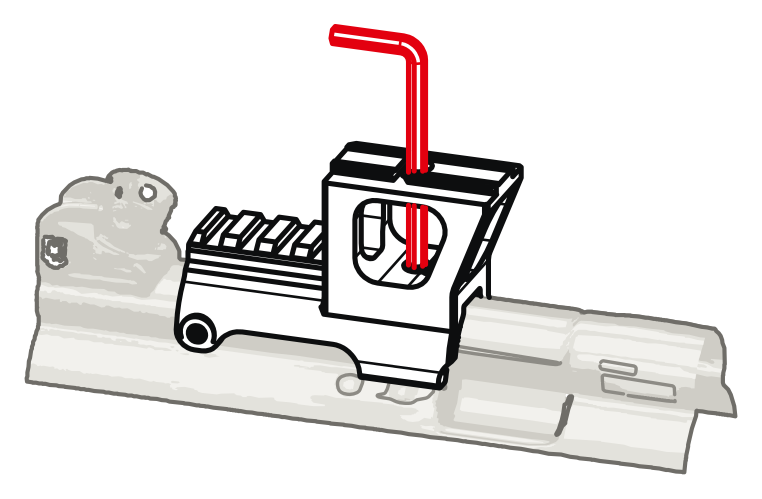
03Top screw
5/32 in key through the hole in the dovetail. Tighten to 25 in-lb. If no torque driver is available, tighten firmly by hand using the short arm of the key.
-
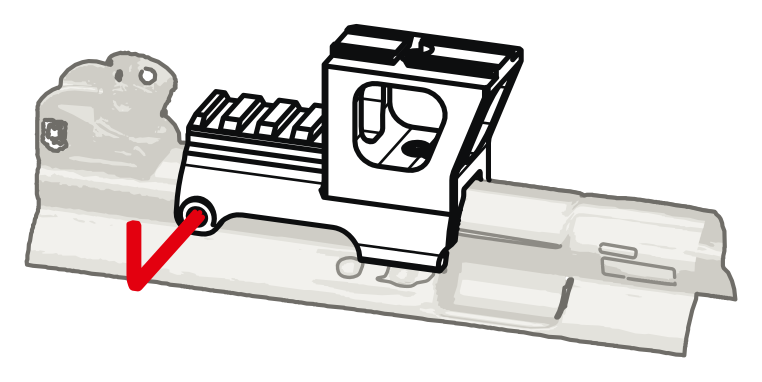
04Side screws
3/32 in key. Bring both in evenly until they touch the receiver, then tighten each to 7 in-lb. If no torque driver is available, tighten until you feel resistance, then add 1/4 turn. Going further will crush the nylon tips.
-
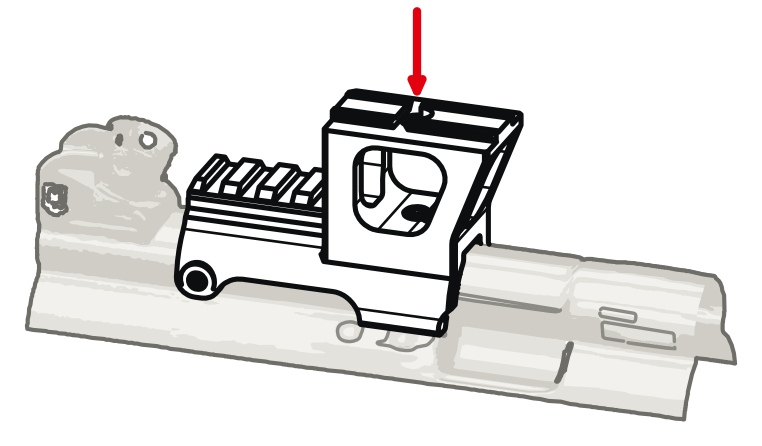
05Install optic
Clamp the optic on the ACRO dovetail to its maker's torque.
-
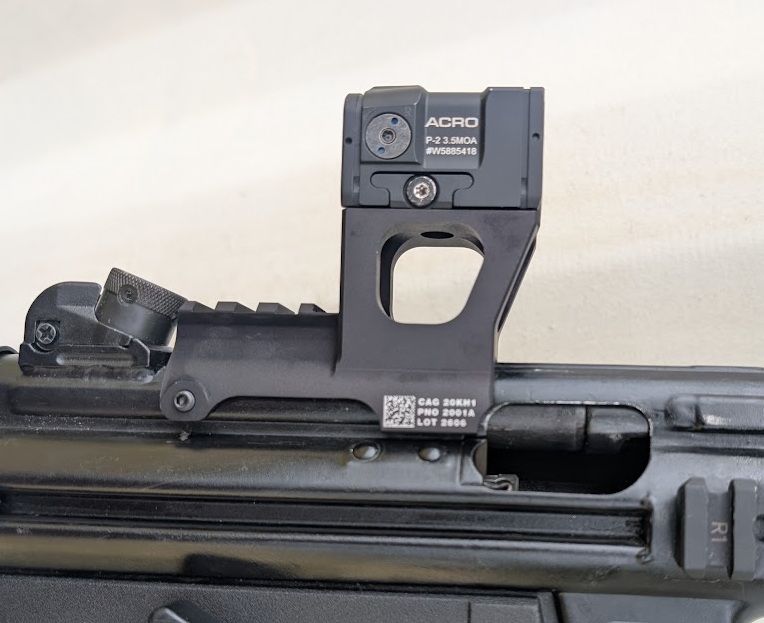
06Check and zero
Rock the optic by hand. Nothing should move. Then zero it.

Something not fitting as described? Stop and email kevin@neinpines.com with your order number. Warranty and returns: Shipping and Returns.